Comparing VPN Solutions: TunnelBear vs VPN Unlimited
Which VPN solution to choose, TunnelBear or VPN Unlimited? We’ll compare the 2 VPN solutions to make the choice easier for you and review the best VPN’s

Comparison of VPN Services: Rating VPN Providers to Find the Best for 2025
| Feature |

VPN Unlimited |

TunnelBear |
| Servers and Locations | 3000+ servers in 80+ locations worldwide | 8,000+ servers in 45+ countries |
| Simultaneous Connections | 5 devices by default, unlimited with extra slots | Unlimited devices |
| Protocols | IKEv2, OpenVPN, WireGuard, KeepSolid Wise TCP/UDP, Hysteria2 | WireGuard, OpenVPN, L2TP, PPTP, SSTP, IKEv2, SOCKS5, HTTPS proxy, VLESS, ShadowSocks |
| Personal IP & Dedicated Servers | Yes, available for order | |
| No-Logs Policy | Yes, strict zero-log policy - does not monitor, store, or log online activities | Yes, strict no-logs policy |
| Split Tunneling | Yes, selective traffic through VPN | Yes (SplitBear) on Windows, macOS, iOS, Android |
| Kill Switch | ||
| Two-Factor Authentication | ||
| Strength of Encryption | AES-256, ChaCha20-Poly1305 | AES-256 “Grizzly-grade” |
| DNS/WebRTC Leak Protection | Built-in tests and protection against DNS and WebRTC leaks | Built-in DNS, WebRTC, and IPv6 leak protection |
| Additional Features | Trusted Networks, auto-start, optimal server, Smart TV support, browser extensions, Web3 domains, DNS Firewall, Captive Portal Checker, Tunnel Vision Checker, MonoDefense integration, P2P on dedicated servers, User Office, crypto-token support | GhostBear obfuscation, Warrant Canary, SplitBear, VigilantBear, browser extensions, Fastest server selection |
| Price | $5.00/mo, billed annually | From $4.17/mo (Unlimited plan, billed annually) |
| Free Trial | 7-day free trial | Free plan: 2 GB/month data cap |
| Refund Period | 30 days money-back guarantee | |
| Customer Support | 24/7 email, live chat, User Office, knowledge base | Ticket-based support via email and help center, no live chat |
What is the Best VPN Service in 2025?
In this review, VPN Unlimited beats out TunnelBear in a number of important aspects. It supports disparately more platforms and offers more features, that are vital for private and secure web browsing.


Data security due to strong traffic encryption
To secure internet traffic of your device, VPN Unlimited applies military-grade AES-256 encryption algorithm. Considered to be strong enough to protect US government’s top secret information, this encryption technology makes your traffic undecipherable and thus useless for hackers. So your banking details, social media accounts, and other info are absolutely safe even if you connect to free public WiFi hotspots.

Privacy and anonymity online
Whenever you connect to any of VPN Unlimited’s servers, your real IP address gets disguised with the virtual IP address of the selected VPN server. As a result, no one on the web can trace your online activities and tie them back to your identity. What’s more, even your ISP no longer has access to your browsing history. You go completely anonymous online with VPN Unlimited!

Bypassing geo-restrictions
In some regions, particular websites, streaming services, social media, and other resources may not be available due to government censorship, copyright restrictions, etc. To access geo-blocked content, you only need to choose a VPN server in the location with no such restrictions, and nothing infringes your internet freedom any more!

Convenient terms and pricing
In comparison to TunnelBear, VPN Unlimited offers a wider range of VPN plans and more convenient terms. You can choose from 7 days, 1 month, 1 year, 3 years, and super-beneficial Lifetime subscription, and your purchase comes with no risk as you’re covered with 30-day money-back guarantee.

Customizable VPN protection
Besides a variety of ordinary subscription options, VPN Unlimited lets you customize your protection with a set of handy extras like Additional device slots, Personal IP, and Personal Server. An extra convenience to let you enjoy more secure and unrestricted online experience.
How to Set Up a VPN
In 2025, setting up and using the best rated VPN is as easy as 1-2-3:
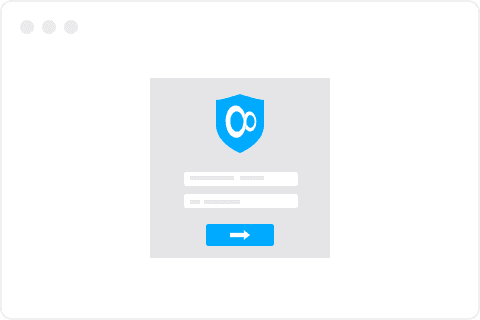
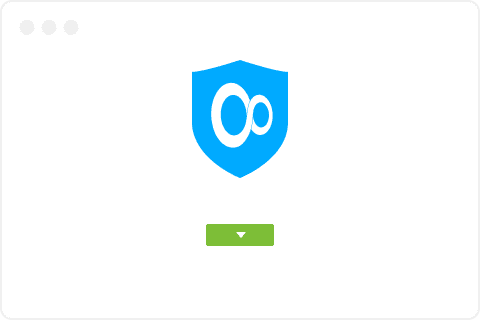

Download VPN Unlimited for Any Device
VPN Unlimited offers a multi-platform support, so you can launch it practically on any device. Choose your platform, download and install our VPN client, and make your web browsing secure, anonymous, and free from restrictions!


'%3e%3cpath%20fill='%238EA1B3'%20fill-rule='evenodd'%20d='M20.3%208.96c-.73%200-1.33.55-1.36%201.24v5.47c0%20.68.58%201.24%201.3%201.24h.08c.72%200%201.3-.56%201.3-1.24V10.2c0-.68-.58-1.24-1.3-1.24h-.02zm-5.24-2.33a.6.6%200%2001-.61-.59.6.6%200%2001.61-.59.6.6%200%2001.62.59c-.05.3-.3.54-.61.59zm-5.71%200a.6.6%200%2001-.61-.59.6.6%200%2001.61-.59.6.6%200%2001.62.59.6.6%200%2001-.6.59h-.02zm5.85-2.74l1.1-1.5c0-.09-.02-.18-.07-.25a.17.17%200%2000-.24%200%20.16.16%200%2000-.03.06l-1.1%201.57a7.08%207.08%200%2000-2.65-.47c-.9.02-1.8.17-2.65.46l-1-1.56a.17.17%200%2000-.22-.1.18.18%200%2000-.07.04.26.26%200%2000-.14.26l1.02%201.5c-1.81.8-3%202.5-3.06%204.41v.33h12.24v-.33A5.02%205.02%200%200015.2%203.9zM6.15%2017.75a1.2%201.2%200%20001.23%201.14h1.3v2.92a1.26%201.26%200%20001.28%201.27h.05c.72%200%201.3-.55%201.3-1.23v-2.96h1.77v2.92a1.26%201.26%200%20001.32%201.27h.07c.71%200%201.3-.55%201.3-1.23v-2.96h1.27a1.2%201.2%200%20001.22-1.17V9.16H6.16v8.6zM4.16%208.96c-.72%200-1.32.55-1.36%201.24v5.47c0%20.68.58%201.24%201.3%201.24h.06c.72%200%201.3-.54%201.32-1.22V10.2a1.22%201.22%200%2000-1.32-1.24z'%20clip-rule='evenodd'/%3e%3c/g%3e%3c/svg%3e)


Which VPN to Use: Top VPN Features
When comparing VPN solutions to choose the best one, there’s a list of VPN features to look for. Check them out below!
VPN servers worldwide
The number of countries a VPN provider has servers in, really matters. In this VPN Unlimited vs TunnelBear review, VPN Unlimited outnumbers TunnelBear considerably: 80+ locations against TunnelBear’s 46+. This means higher chances to find the desired country server and unblock all the services and websites you want.

Choice of VPN protocols
VPN protocols differ by the provided performance, speed, and security. Some networks may be blocking VPN protocols, so you need several options to choose from. With VPN Unlimited, you can connect via OpenVPN, IPSec, IKEv2 protocols, as well as specially designed KeepSolid Wise and the newest WireGuard protocol. All to provide you with the best online experience possible.

VPN Kill Switch
Disruption of VPN connections may occur regardless of how good a VPN service is. To avoid leaks of your sensitive data during the disruption, choose VPN with the Kill Switch feature. It disables internet access on your device till the VPN connection is back on, so your IP and all the private info don’t get exposed.
_3383.png)
Number of simultaneous connections
When you opt for anonymous and secure browsing, you’ll most probably want to secure all your devices, like a home PC, a mobile phone, a tablet, etc. So doing comparison of VPN services, make sure the chosen VPN allows enough number of devices per a single account. Pay for 1 get 4 for FREE! Or even more - with one subscription, you can use our VPN on unlimited devices. You can use any device (desktop, tablets, mobile phones) and any platform (macOS, iOS, Android, Windows, Linux.)